v0.7.0 is mostly about visibility. Tickets don’t tell the whole story — knowing which machine an alert came from, who uses it, what’s installed, and how long a clock has been running matters. This release pulls all of that into Resolvd.
Inventory module
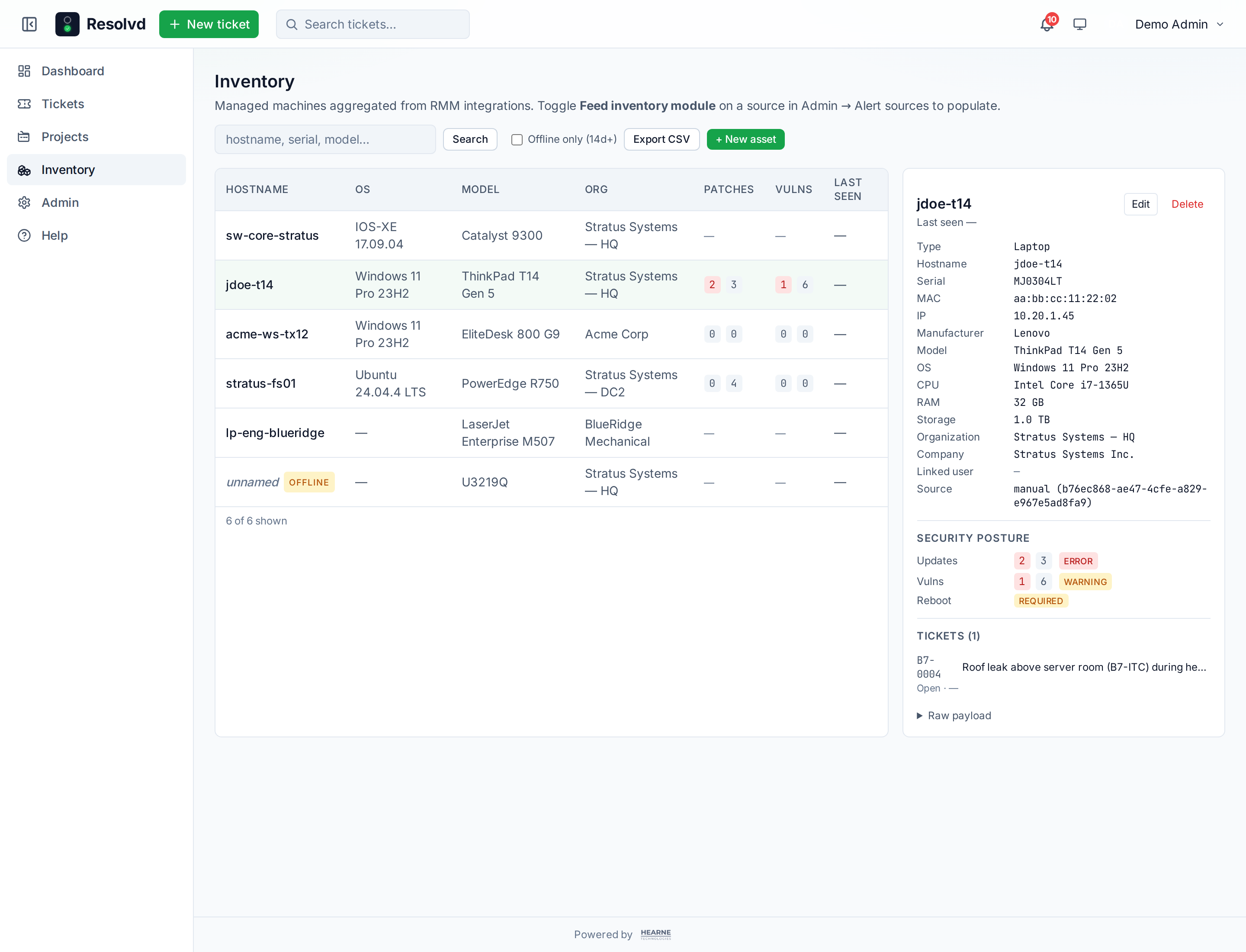
A new top-level Inventory page lists every managed machine across all integrations. Click an asset for hardware specs, security posture (missing updates, vulnerabilities, reboot required), linked user, linked company, installed software, ticket history.
The first integration is Action1. Resolvd polls the v3 REST API with an OAuth2 client-credentials key. The poll pipeline hits:
GET /api/3.0/organizations— tenant org IDs.GET /policies/instances/{org}/{policy}/endpoint_results— failed policy runs (each becomes a ticket).GET /api/3.0/endpoints/managed/{org}/{ep}— hardware + security posture.GET /api/3.0/apps/{org}/data/{ep}— installed software.
One source covers alerts + inventory + software — toggle Feed inventory module on the alert source to enable the inventory paths.
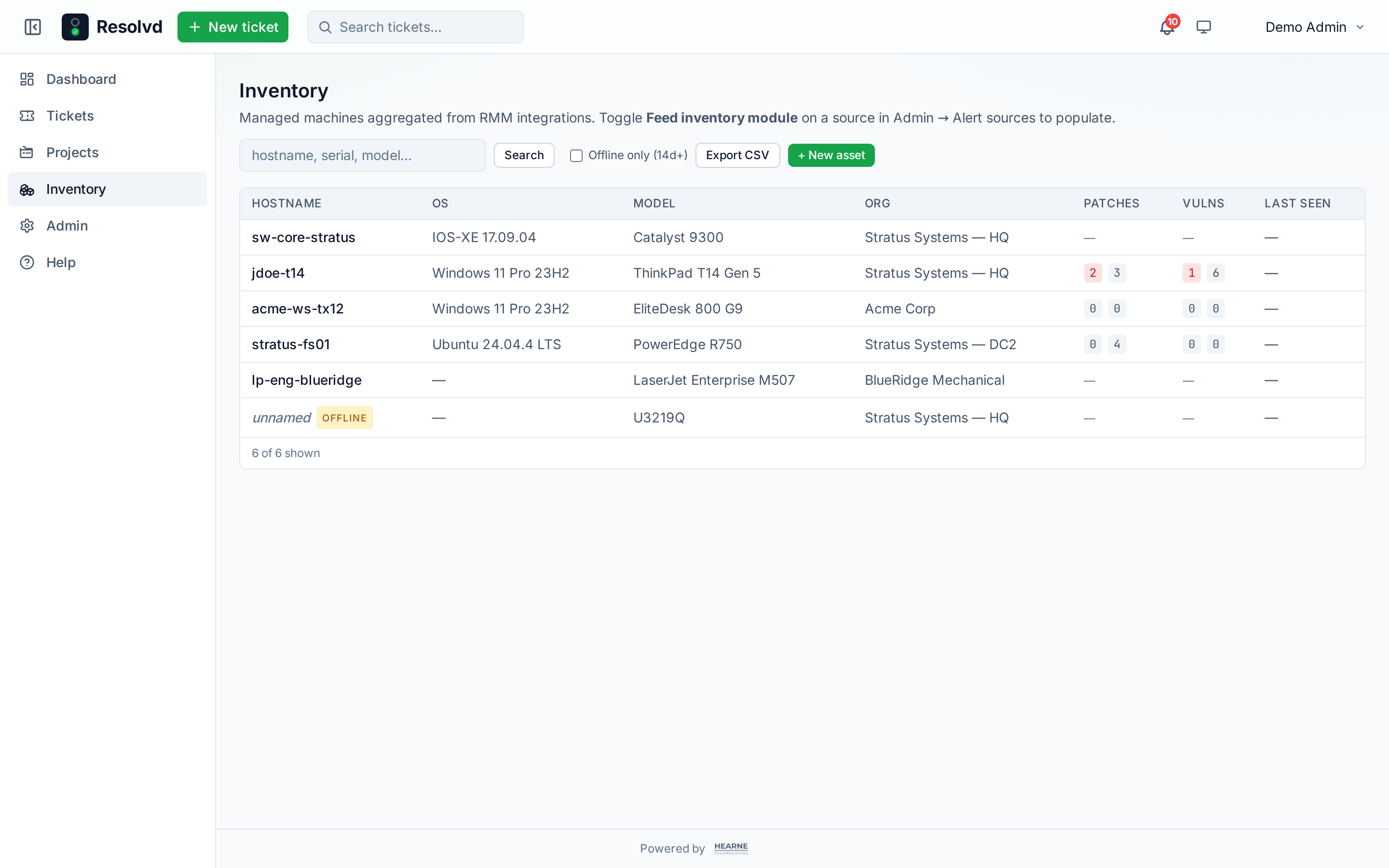
Twelve seeded asset types (Workstation, Server, Laptop, Printer, Monitor, VoIP phone, Network switch, Wireless AP, Mobile, UPS, NVR/DVR, Other). Each type controls which built-in fields apply — monitors don’t need a hostname, printers do, VoIP phones get extension and PC-pass-through MAC. Admin can define custom asset types for the long tail (door readers, NVRs, signage displays).
Custom fields (text / number / date / bool / select) per entity with stable slugs that survive label renames. Asset Tag is the canonical example — define it once, fill on every asset.
Action1’s 30 per-endpoint custom attributes can route to either an asset column or a custom field via a per-source mapping table. Each attribute slot’s most-recent sample value is shown so you map against real data.
Ticket ↔ asset linking + UPN auto-association
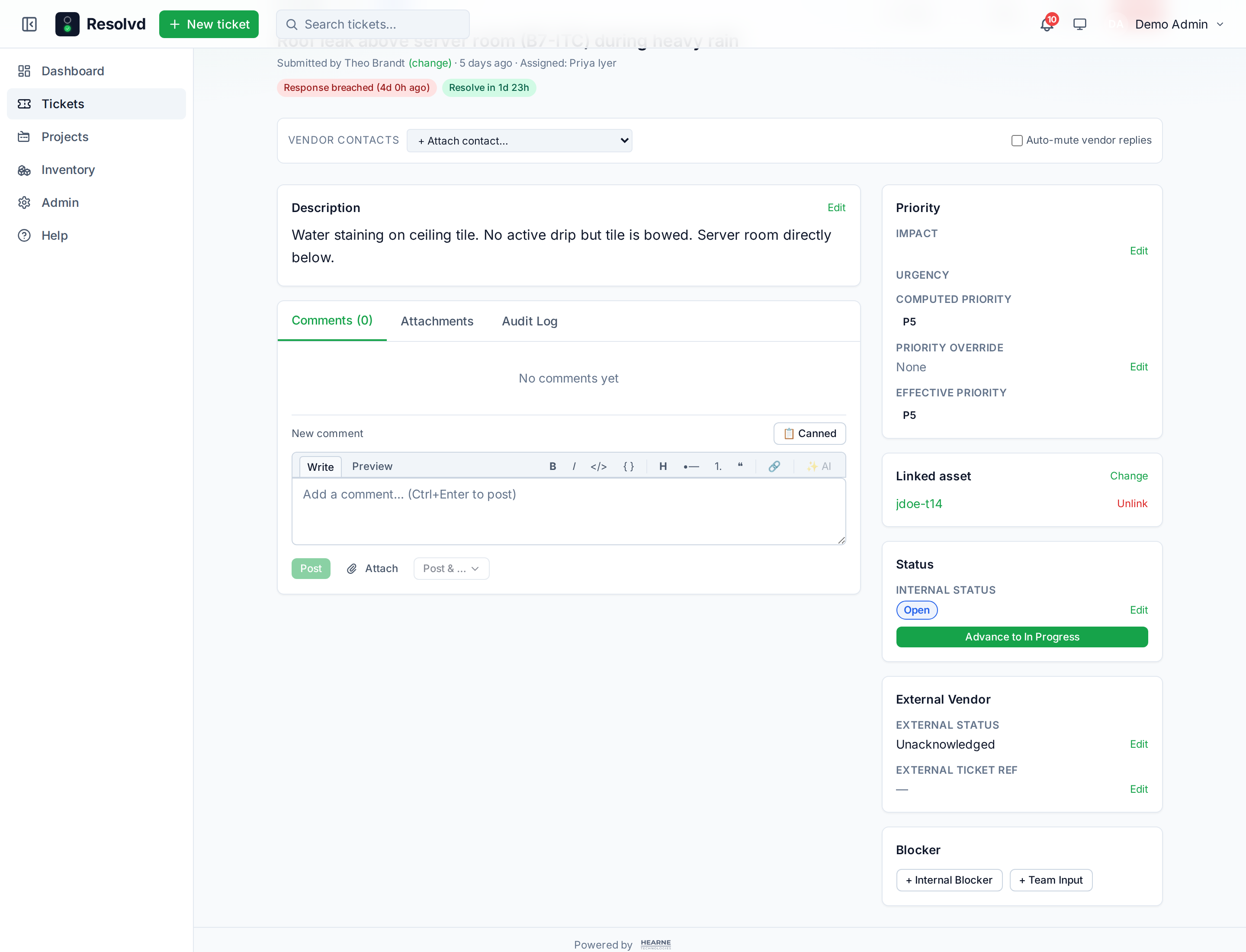
Tickets can now link to assets. The asset detail page shows ticket history; the ticket sidebar shows the linked asset’s hostname (clickable). Per-project toggle gates this — off by default, on requires explicit opt-in plus an optional company filter that restricts the picker to specific Resolvd companies (MSP isolation: customer A’s project never sees customer B’s assets).
Action1 reports each endpoint’s last-logged-in user as a plain string (“jdoe”, “stratus-admin”, etc.). On every sync, Resolvd’s UPN matcher generates plausible aliases from each user’s display name + email local part — for “John Doe”: johndoe, jdoe, johnd, john, doe, doej — and matches against what Action1 reports. Ambiguous matches refuse to guess; admin can manually link via the asset detail UI.
Action1 organization names auto-resolve to Resolvd companies by exact name match. For multi-tenant integrations where org names don’t line up ("Stratus Systems — HQ", "Stratus Systems — DC2", "Internal IT Infrastructure"), the per-source company map lets admins route each exotic name explicitly. For single-tenant sources (one Zabbix per customer), an inventory company override pins the entire source to one company in one click.
Security posture surfacing
Action1 reports missing_updates (critical / other), vulnerabilities (critical / other), update_status (SUCCESS / WARNING / ERROR), reboot_required in every endpoint payload. Previously sitting unused in raw_data; now first-class columns. The inventory list gets Patches + Vulns columns with red badges for non-zero criticals.
Installed software
Per-asset software inventory pulled from Action1 on demand (Sync now button) and automatically every 7 days via the existing scheduler (2 stale computer-type assets per tick, spread across cycles to keep API load light). Search by name or vendor across the installed list. Re-syncs drop uninstalled packages automatically.
SLA — pre-breach warnings + business hours
Every SLA policy gets a warning_threshold_percent (default 80) — fires a separate fanoutSlaWarning event before the actual breach so the assignee has time to act. Independent matrix event from the breach itself, so users can opt out of one without losing the other.
business_hours_policies (timezone + day mask + start/end times, per-project or org default) plug into the SLA clock via addBusinessMinutes(). Friday 4pm + 4hr response target now lands Monday 12pm, not Saturday 8pm. Seeded Mon–Fri 9–5 Central; admin can add per-project overrides for customer-specific hours.
SLA — escalation chains
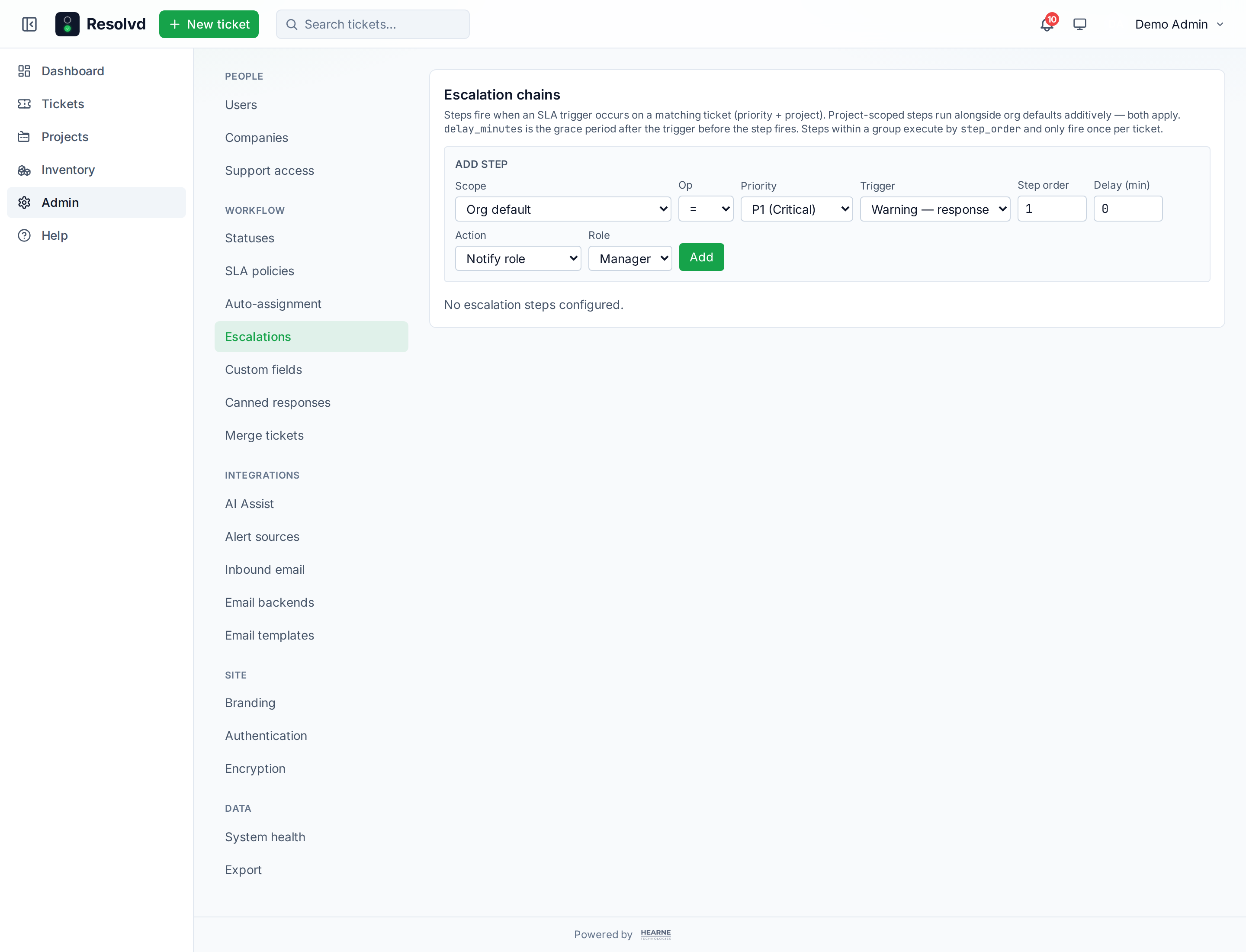
Per-policy step lists fire on four triggers: warning_response, warning_resolve, breach_response, breach_resolve. Each step has a delay_minutes grace period and an action: notify user / notify role / reassign user / reassign role. Project-scoped steps run additively alongside org defaults (a per-project nudge can coexist with an org-wide “page the on-call” step). Each step fires once per ticket via tickets.escalation_steps_fired.
Priority operators (=, <, <=, >, >=) on the escalation match — one step can cover P1 + P2 with <= 2 instead of duplicating rows.
SLA — auto-assignment
Per-priority assignment policies pick an agent at ticket create time. Three strategies:
| Strategy | Behavior |
|---|---|
round_robin | Cycle through the pool in order. Cursor advances atomically via UPDATE…RETURNING so concurrent inserts don’t double-pick. |
case_load | Pick whoever has fewest open tickets right now. Ties break by user_id ASC. |
specific_user | Always assign to a fixed user. |
Eligible agents pulled from a new per-project Agent flag on project_members (replaces the old role-based filter). A Tech can be an Agent on Project A but not Project B without role changes.
Priority operators apply here too — one row <= 2 → round_robin covers P1 + P2 high-touch tier.
SLA — vendor-vs-internal reporting + time-in-status
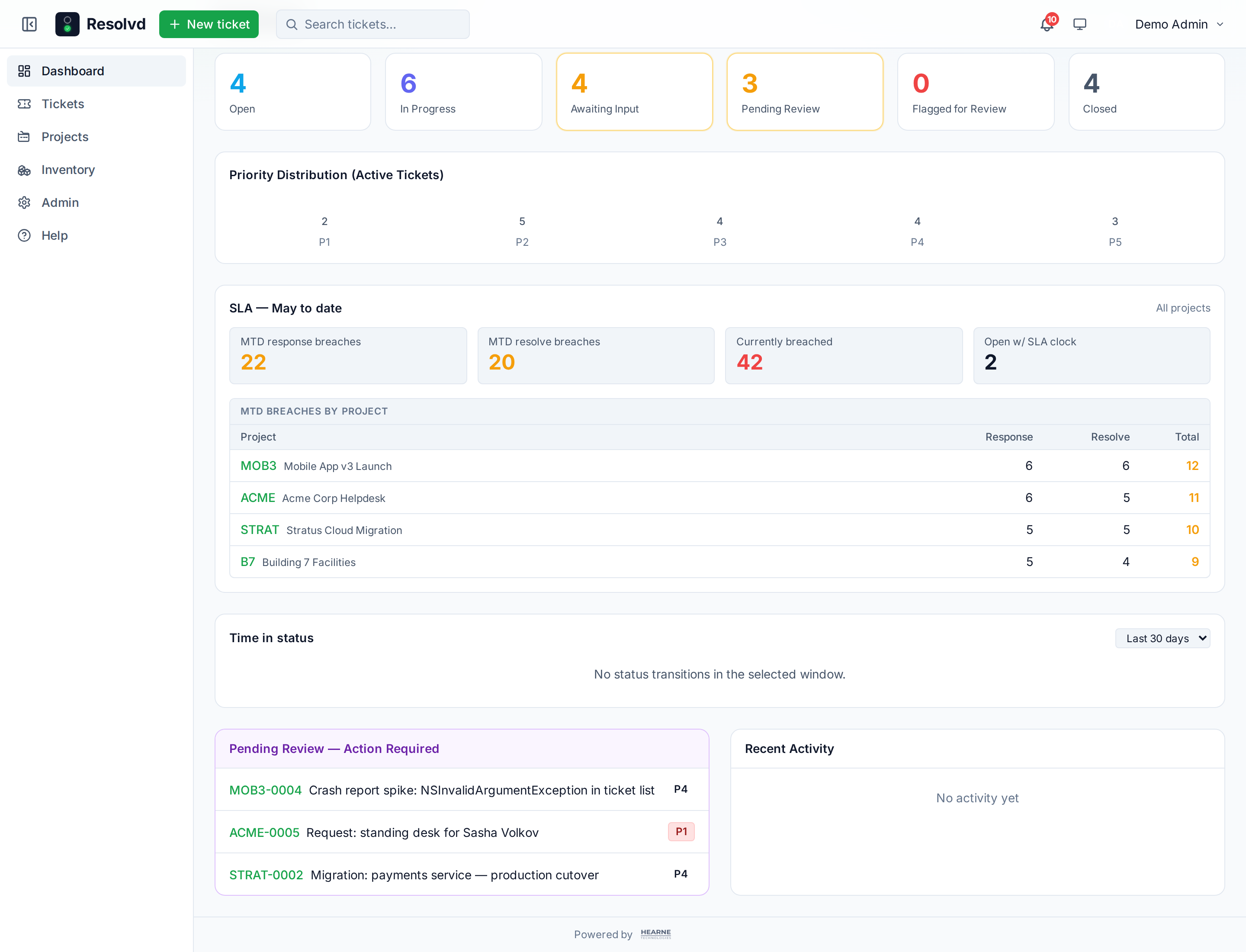
awaiting_input and on_hold semantic tags now split into two counters: sla_vendor_wait_seconds (awaiting_input = waiting on external party) and sla_internal_hold_seconds (on_hold = we blocked ourselves). Dashboard SLA card renders a stacked bar. Answers “are we slow or is our vendor slow?” without parsing audit logs.
Separately, /api/sla/time-in-status aggregates per-status durations from the audit log using LEAD window functions. Surfaced on the dashboard with a 7/30/90 day window picker.
Tech role
New role between Manager and Submitter for internal IT staff who handle tickets day-to-day without admin-level config access. Permissions wired into tickets (create/edit/comment/assignee/status/asset-link/follow-up/notify-vendor/contacts), inventory (create + edit non-RMM assets, edit cross-refs on RMM assets), KB (author + edit + archive), Notes tab (handler-only commentary), comments, followers, attachments. Admin-only stays Admin-only: bulk ops, ticket delete, asset delete, user management, branding, SLA / AI config.
Knowledge Base
Every project owns its own articles. Editors author in BlockNote (a block editor built on ProseMirror — rich text, headings, lists, code, callouts) and readers see a rendered surface that matches the Resolvd theme. Articles persist as JSON in kb_articles.content_json with a plain-text mirror for full-text search.
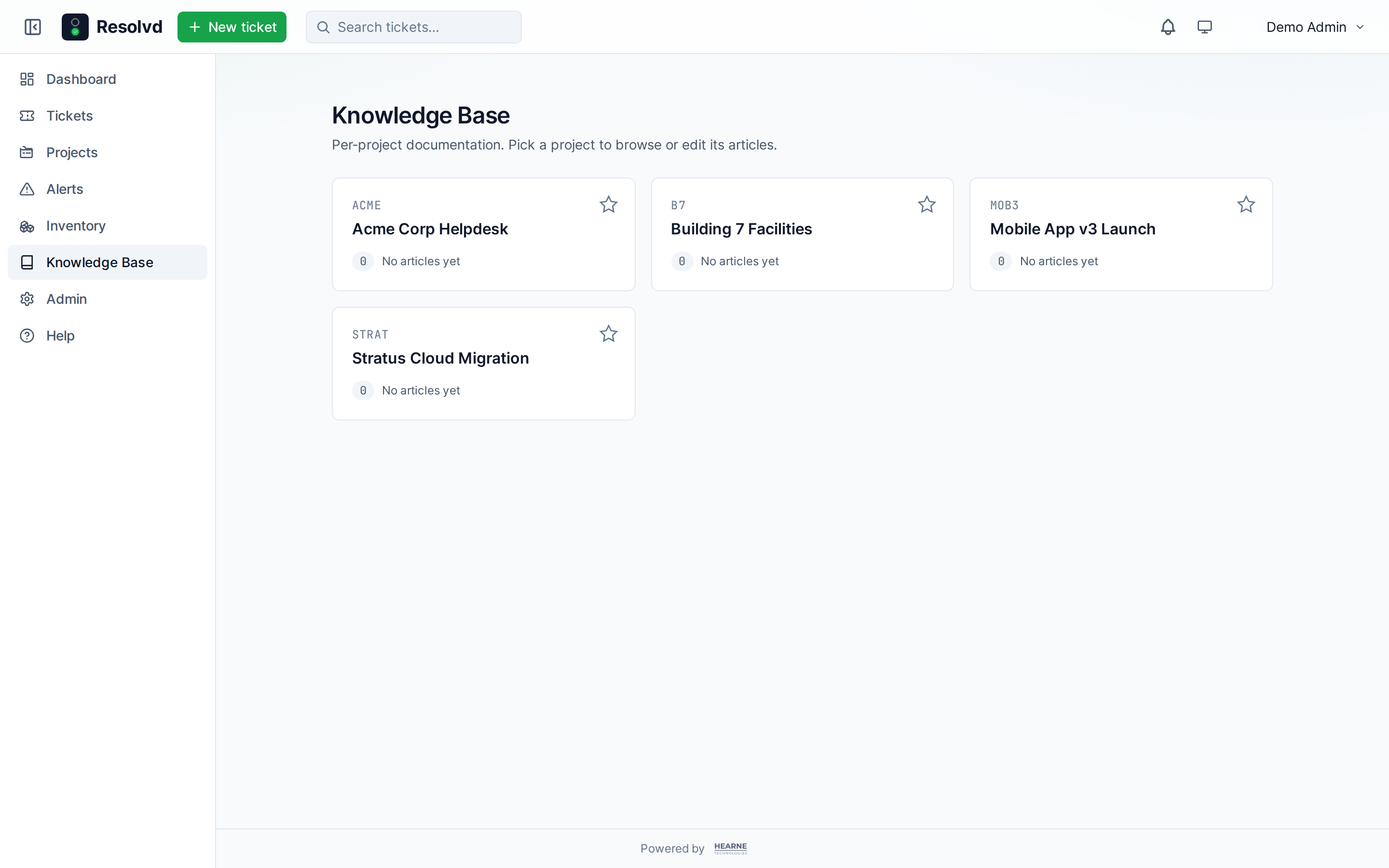
Version history snapshots every save with an optional change_summary; restore any past version with one click and the restore itself writes a new version row marked Restored from vN so the audit chain stays intact.
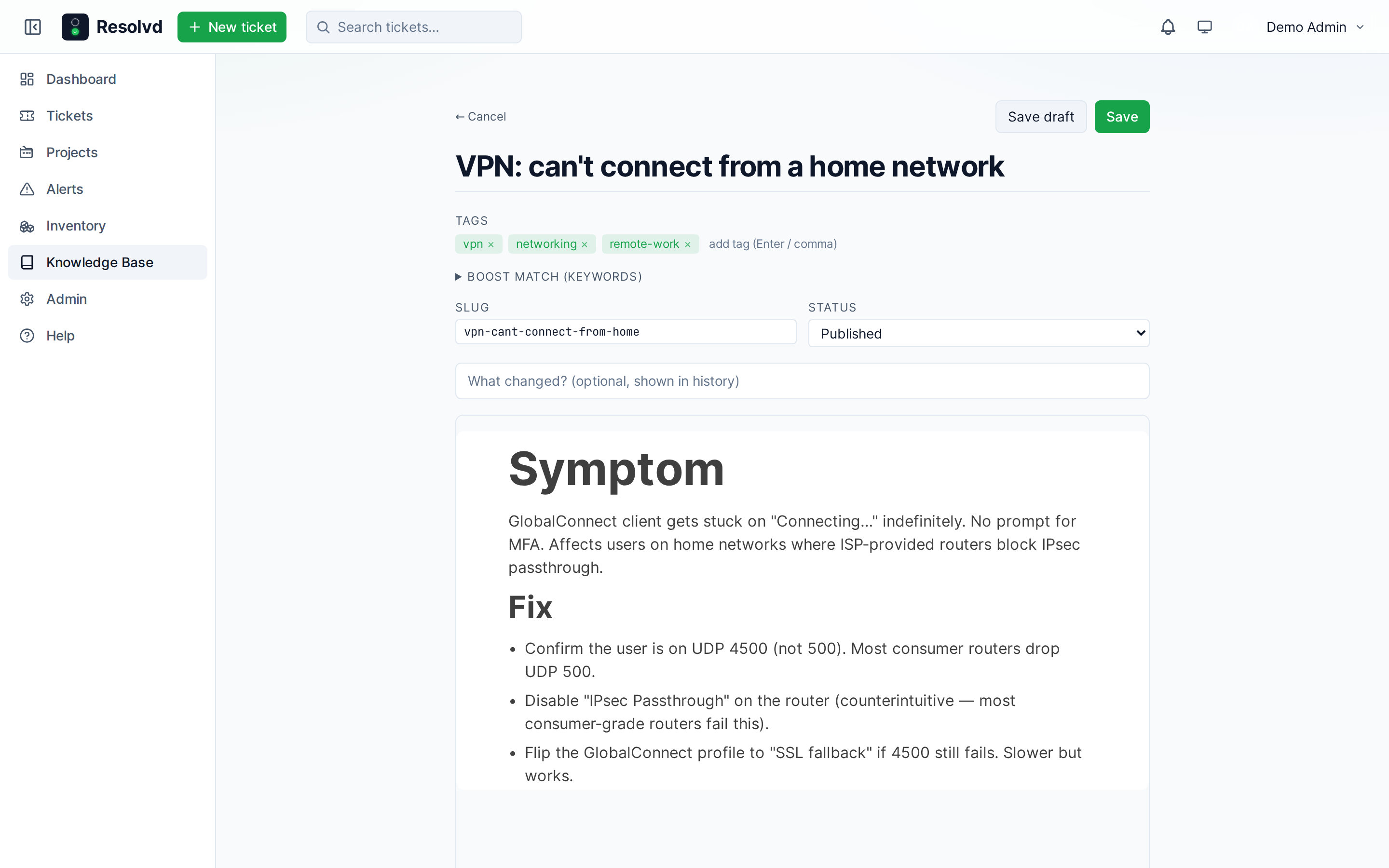
Tags + keywords drive two surfaces: the project article index renders tag filter chips that AND together (tags @> $1::text[]), and the keywords boost the trigram similarity ranker that matches articles to tickets — use them for SKU codes, model numbers, error strings that would clutter a tag chip but are searchable signal.
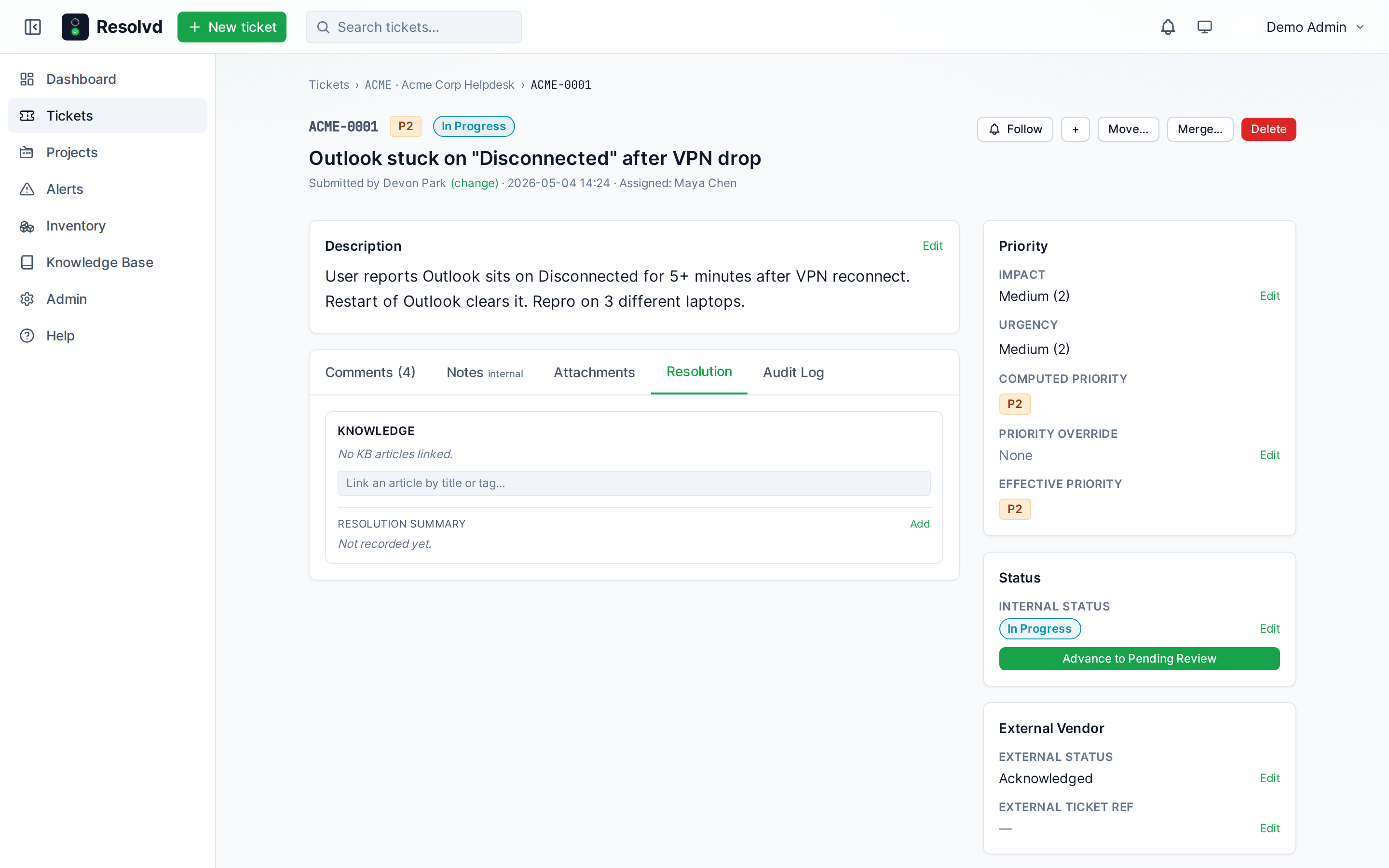
Ticket ↔ KB linking. The Resolution tab on every ticket carries a Knowledge panel. The suggestion ranker uses pg_trgm similarity over the article’s title || array_to_string(tags, ' ') || array_to_string(keywords, ' ') vs the ticket’s title; high-confidence matches auto-surface on ticket open. Promote-to-KB drafts a new article seeded from a ticket’s title + description + resolution_summary, with a kind='system' link back to the source ticket. At close time, a small nudge prompts the closer to capture a one-line resolution summary — that summary drives the new “Fix applied” filter on the ticket list (resolution_summary is non-null OR a kb_link exists).
Alerts page + rule-driven ticket promotion
A new top-level Alerts page is the deduped state-machined view of every problem ingested from a monitoring source. Distinct from external_alert_event (the immutable audit log per webhook fire): one row per (source_id, external_event_id) pair, transitioning open → cleared as the vendor opens + clears the problem. The refire_count tracks how many times the same problem has flapped.
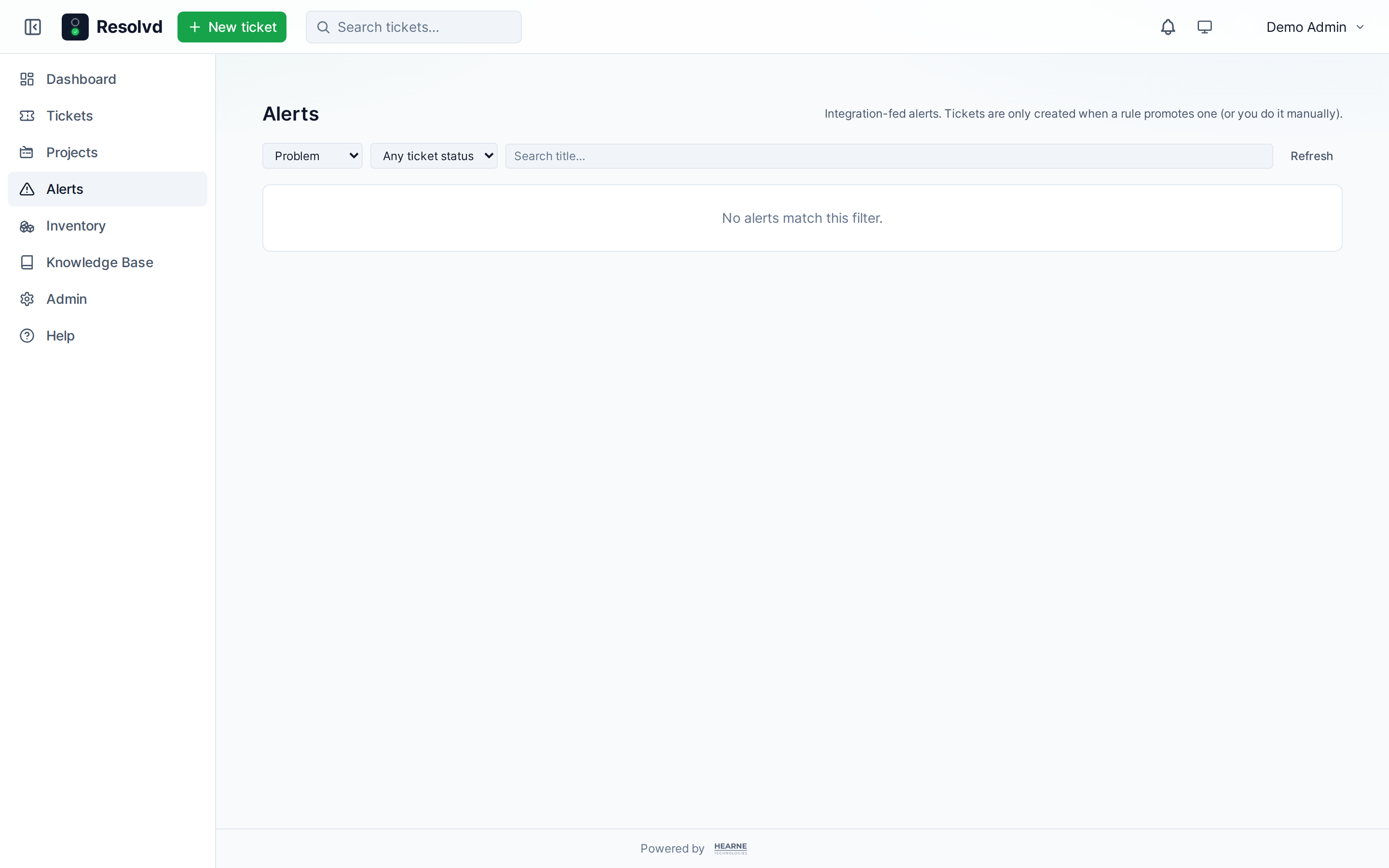
Alert rules per source decide which problems auto-promote to tickets. Each rule combines severity threshold, optional title regex, and an action (promote_ticket / notify_only / ignore). Stops the noisy “every Warning gets a ticket” issue without losing visibility — Warnings still appear on the Alerts page and dashboard widget, they just don’t manufacture a ticket each time.
Dashboard gets an Active alerts widget (top 8 open problems, severity badge, source label, ticket ref where promoted) for at-a-glance triage.
Multi-vendor integration registry
services/integrations/registry.js is the source of truth for vendor adapters. Two built-ins ship: Zabbix (webhook + optional REST backfill) and Action1 (REST poll + client-credentials OAuth2 + 429 retry-after + token bucket). Anything else uses the generic webhook intake with a tabular field-map editor — map inbound JSON paths to Resolvd ticket fields with optional value_map lookups. No code change required to onboard a new vendor; the registry-driven add form renders each adapter’s credentialsSchema so adding NinjaOne / Datto / Connectwise the day the registry entry lands.
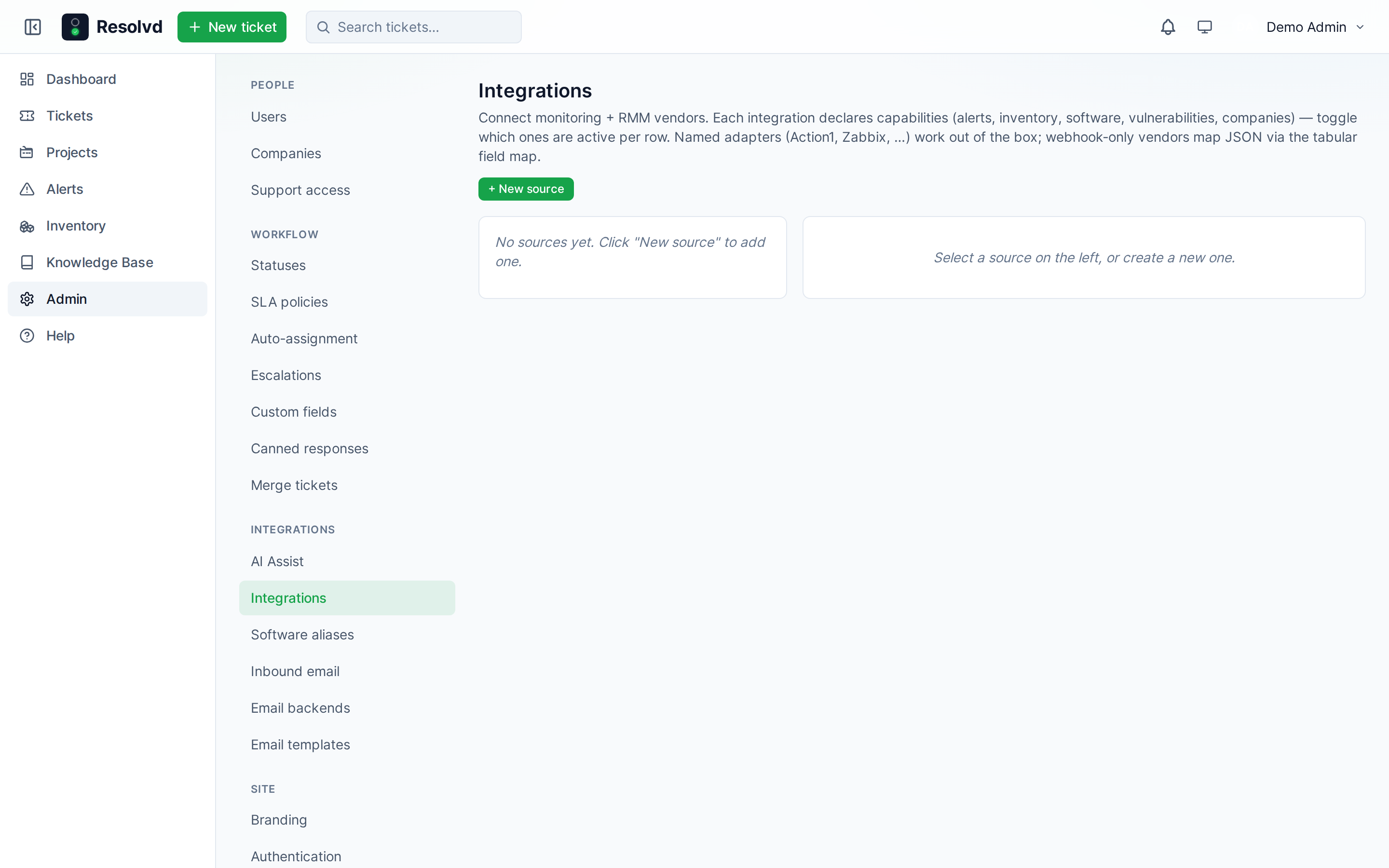
Software-name normalization via software_aliases maps vendor-specific names (“Microsoft 365 Apps for Enterprise” / “M365 Apps” / “Office 365”) to a canonical product so software reports don’t fragment per vendor. Admin manage page at Admin → Software aliases.
Notes tab (handler-only)
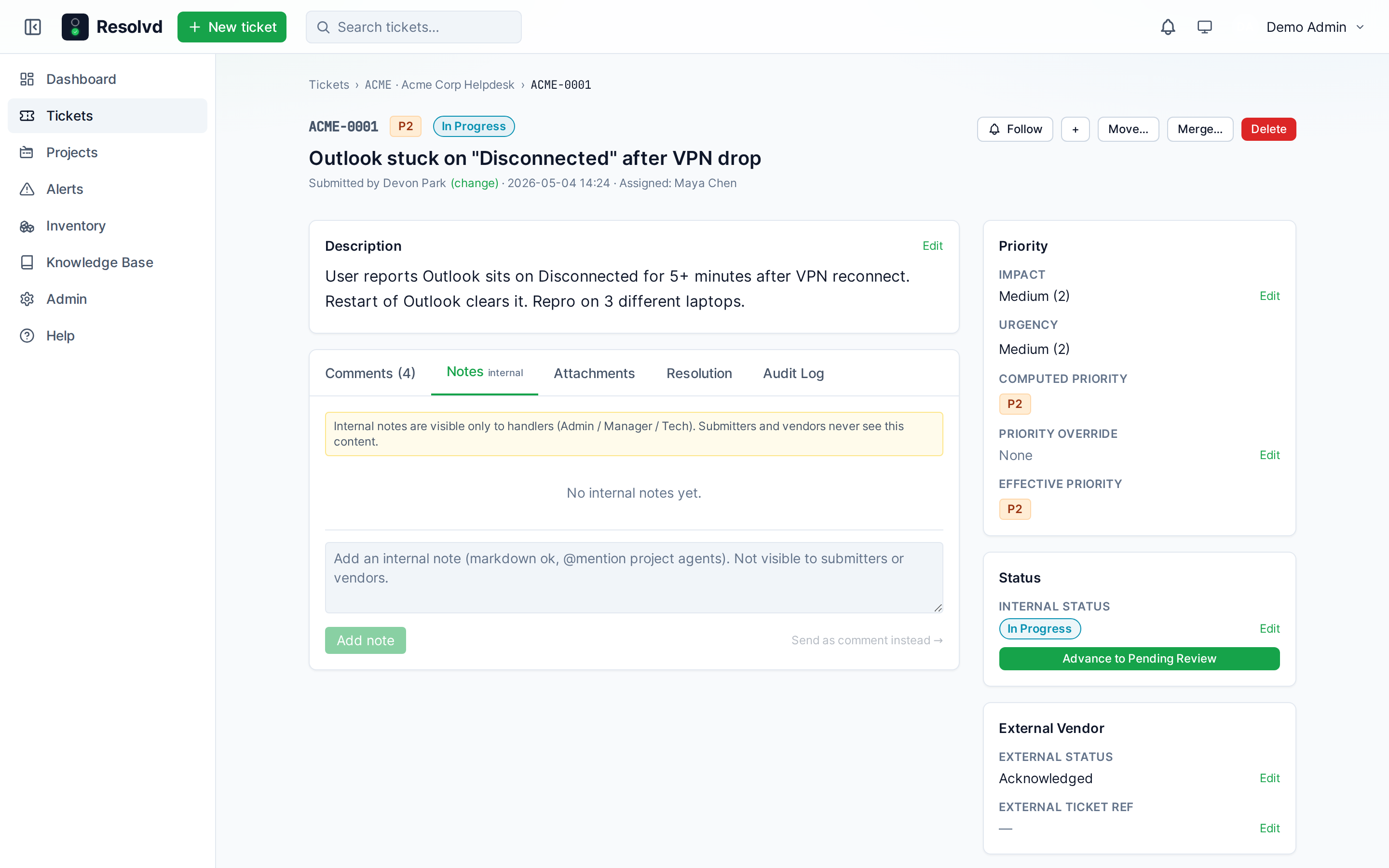
Every ticket carries a Notes tab visible only to Admin / Manager / Tech. Notes are handler-only commentary — triage scratchpad, shift handoffs, things that shouldn’t bleed into the comment thread the submitter reads. @mentions inside notes resolve only against active agents on the ticket’s project; notes never fan out via email or push to non-handlers.
Dashboard global filters
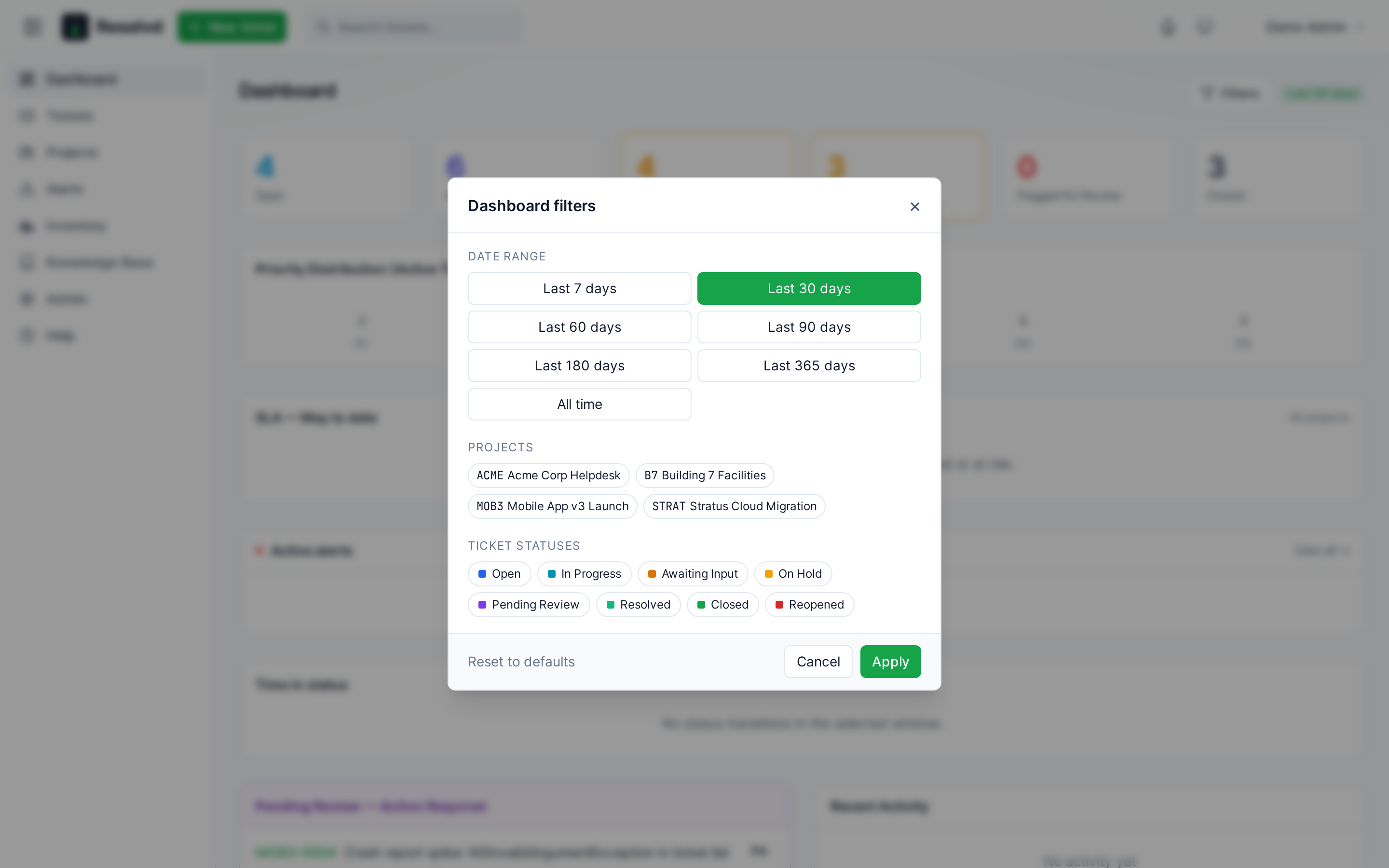
A single Filters button at the top-right of the dashboard opens a modal that drives every module on the page: date range (7 / 30 / 60 / 90 / 180 / 365 / all-time), projects multi-select, internal-status multi-select. Replaces the old per-module date pickers. Active filters render as chips above the modules with × quick-clear. Submitter / Viewer project_id requests are intersected with their project_members set on the server so non-admins can’t widen past their access tier.
Ticket nav overhaul
The ticket list landing page is filter-driven, not sidebar-driven. The sprawling predefined-groups sidebar is gone. The header carries:
- A Mine quick-toggle — one click filters to tickets assigned to you, across every project + priority. Server resolves the
mesentinel so saved-view URLs stay user-portable. - A Filters modal mirroring the dashboard’s shape, with priorities multi + Has-fix / Flagged / Active-only toggles + a sort selector.
- A Saved views dropdown.
- A breadcrumb chip row below the title that summarizes the active filter set in plain English (
Active · last 60d · all projects · P1/P2).
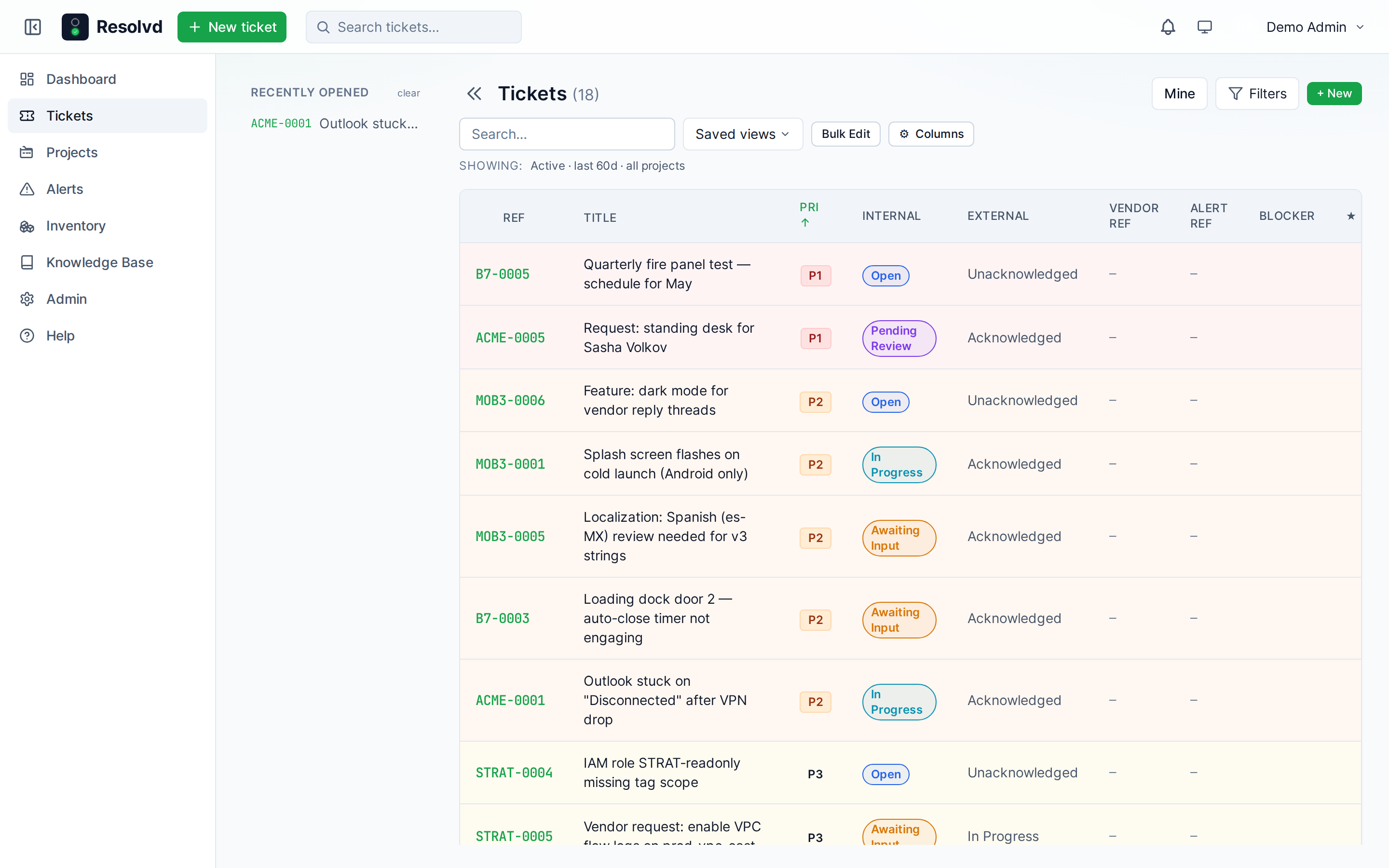
The left rail is your Recently opened history — capped at 20, deduped by id, populated on row click and on TicketDetail mount so deep-links from email or the dashboard also fill the rail. On mobile it lives behind a hamburger drawer.
Default landing view: active (not Closed) · last 60 days · sort priority P1 → P5 with updated_at as the tie-breaker. Dashboard tile + email deep-links still work via a ?preset= URL param — accepted values: open, in_progress, awaiting_mot, pending_review, flagged, closed, mine, sla_breached. The preset overlays once on mount and then strips itself from the URL so subsequent filter changes don’t re-overlay.
Bulk reply: Admin / Manager can post the same comment to many tickets at once. Same pipeline as a single post — @mention resolution, follower notifications, vendor visibility.
UI
Top bar with explicit collapse toggle + logo + new-ticket button + search left, notification bell + theme picker + user menu right. Sidebar collapsible (icon-only when shrunk, icon+label when expanded). Lucide-style inline SVG icons to match the existing notification + theme glyphs. Independent scroll panes on the ticket list — recents rail and ticket pane scroll independently when both are tall.
Ops detail: nginx now ships Cache-Control: no-cache, no-store, must-revalidate for index.html + sw.js, and max-age=31536000 immutable for hashed /assets/*. Installed iOS PWAs used to serve last-deploy’s HTML against current deploy’s hashed JS, so mobile users sat on stale bundles after every release. Fixed.
What’s next
A few items deferred to v0.8.0:
- Phase 2 multi-source dedup for inventory — drag-drop priority list +
fill_gaps/dedupe_onlystrategies when two RMMs report the same machine. Park until a second RMM integration lands. - Zabbix inventory pull — same pattern as Action1, scoped to single-customer sources for MSP isolation.
- ConnectWise ScreenConnect deep-link launcher — single button on the ticket detail that opens a hosted SC session against the linked asset’s hostname. No backend API auth — browser handles SC SSO. Already in the roadmap, queued behind a clean asset.endpoint_hostname column.
Upgrade notes
- DB migrations run on boot. The new inventory + KB + alerts + custom-field + asset-types + SLA business-hours + escalation + assignment-policies tables are all idempotent
ADD COLUMN IF NOT EXISTS/CREATE TABLE IF NOT EXISTS. One schema-order bug surfaced on fresh-DB reseeds —asset_softwarewas ALTERed before itsCREATE TABLEran. Fixed in this release; existing deploys are unaffected. - One-time backfills: existing tickets get SLA
warn_attimestamps stamped from their existingdue_at+ the default 80% threshold; legacysla_paused_secondsattributed to vendor wait (the more common case for MSPs); Action1-sourced assets stampedasset_type_id = workstation; missing-updates + vulnerability counts extracted fromraw_dataso the security-posture columns are populated without re-polling. - BlockNote bundle adds ~380 KB gzipped to the frontend bundle. Consider code-splitting
pages/Kb*if your CDN bandwidth matters. - No env-var changes.
* This integration is an independent community project and is not affiliated with, endorsed by, sponsored by, or supported by Action1 Corporation. Action1 has not reviewed, tested, certified, or audited this integration for security, performance, or compliance purposes and is not responsible for its operation, availability, or use. “Action1” is a trademark of Action1 Corporation and is used solely to identify compatibility with the Action1 platform.