v0.9.0 is two stories stitched together. The big one — runbooks + label printer + consumables — is physical-world stuff: paper labels stuck on hardware, parts coming off a shelf, a checklist a tech runs at the bench. The small one is a stack of permission cleanups that bring the project-handler model (Notes / agent_only) into the rest of the app.
Runbooks
A runbook is a KB article with kind='runbook'. Same editor, same versioning, same agent-only flag. The difference is rendered on the ticket: there’s a new Runbook tab that lists every runbook started against the ticket, with persistent checkbox state per step.
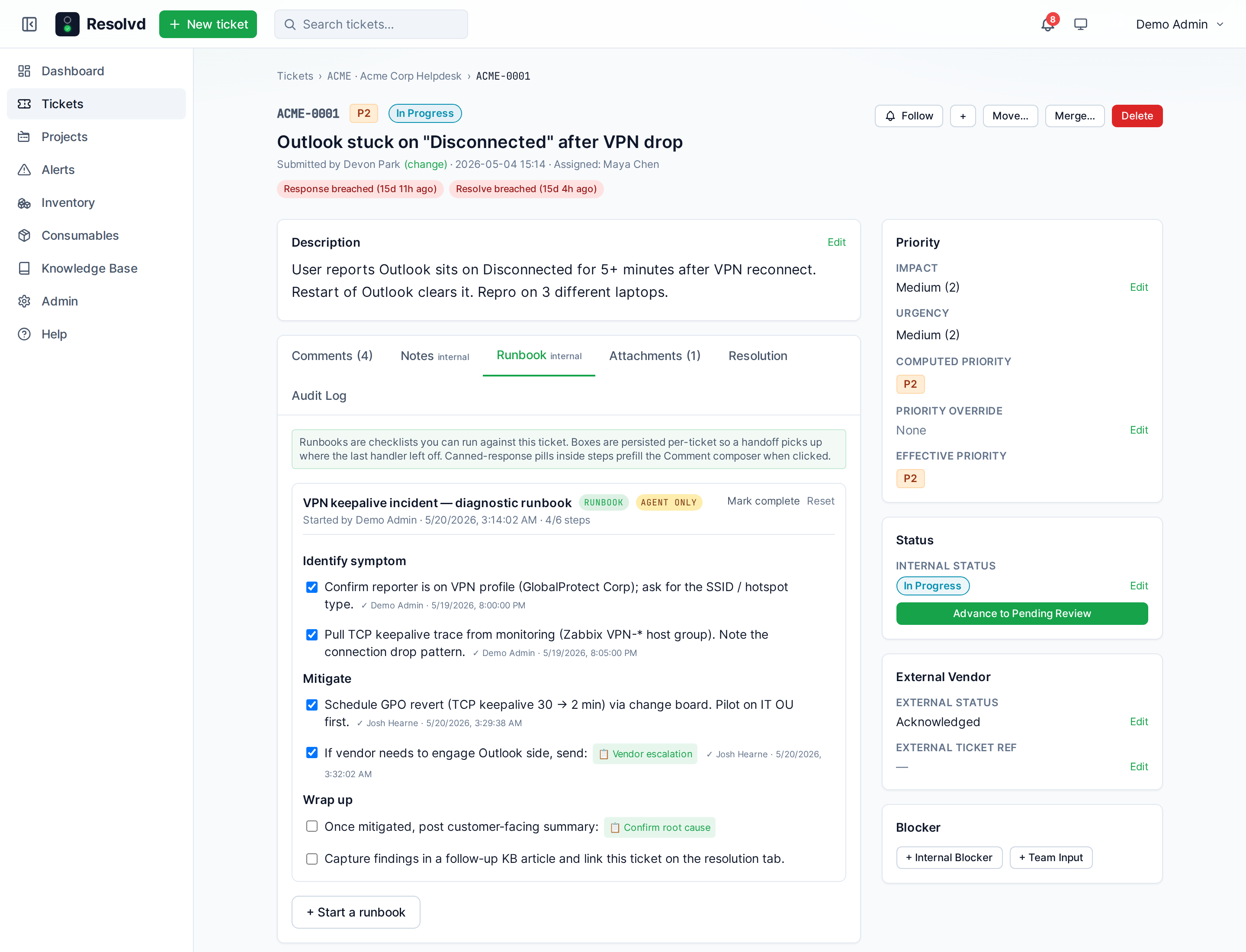
The two important wins:
- Per-ticket state, not per-user. Hand a half-finished VPN runbook off at end of shift and the next handler picks up at the checkbox where you stopped. Each step records who ticked it + when.
- Canned-response pills. Anywhere in a step’s text you can write
@canned:Vendor escalationor@canned:[Multi-word title here]. On the ticket runbook panel that turns into a 📋 button. Click it and the canned-response body — with{ticket.ref}/{submitter.firstName}/ etc. already substituted server-side — drops into the comment composer.
You make a runbook the same way you make any KB article: KB → New → Kind: Runbook. Use BlockNote’s check-list-item blocks for the steps; everything else (headings, paragraphs, bullets) renders as section labels around the boxes.
[ ] Identify symptom — confirm VPN profile, capture TCP trace
[ ] Schedule GPO revert, pilot on IT OU
[ ] If vendor needs to engage: @canned:Vendor escalation
[ ] Post customer-facing summary: @canned:Confirm root cause
[ ] Capture findings as a KB article, link from Resolution tab
Storage is a small ticket_runbook_runs table — one row per (ticket, runbook) with a JSONB step_states blob. Step toggles use a Postgres jsonb || merge so two handlers ticking different boxes at the same time don’t clobber each other.
The runbook tab is handler-only — same gate as Notes (global Admin/Manager/Tech, or a project member with a handler role override / Agent flag).
Agent-only KB articles
The Notes feature has had a clear “this is handler-only” semantics since v0.8.0. KB articles inherit it now. Flip Agent only on any KB article and:
- The article disappears from listing + suggestions for anyone who isn’t a project handler.
- 404 (not 403) on direct slug fetch — keeps the slug invisible.
- Only a global Admin can delete an agent-only article. Tech / Manager with project-handler access can read + write but not delete.
- Tag aggregation excludes agent-only articles, so the topic chip row doesn’t leak hints.
The same gate (isProjectHandler helper) is now used by Notes, agent-only KB, runbooks, runbook progress writes, the vendor-share comment toggle, and the inventory tab — one source of truth.
Zebra label printer
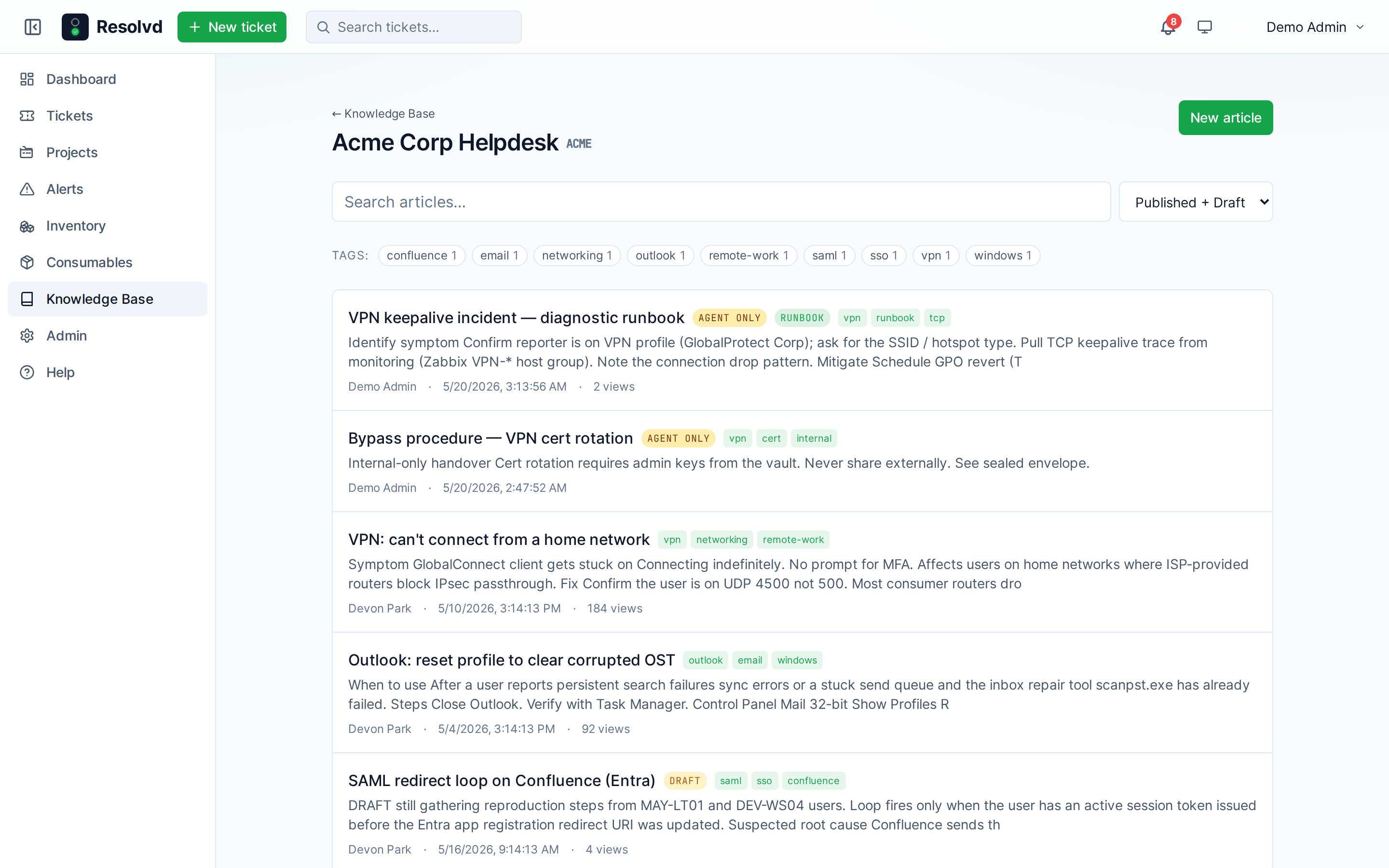
Single-row label_printer_config (host / port / dpi / media dimensions / top-offset / property-line text). The service module opens raw TCP :9100 with an 800 ms post-write hold so the printer can ack before tear-down — the nc -w3 truncation that bit us during manual tests doesn’t repeat here.
Three label kinds:
- Test label — wires Admin → Site → Label printer’s Print test button to a known-shape job so you can validate alignment without burning a real asset.
- Asset label — first line is
asset_tag(faux-bolded via a 1-dot horizontal double-strike since the scalable font has no bold weight), then hostname (only when distinct from tag), a blank visual row, then the property-line. QR is right-justified inside the die-cut radius; text column clamps toqrX − 23dots so a long hostname truncates instead of overlapping the code. - Consumable label — same layout, part_no on the lead line, vendor on the property line.
QR encodes the inventory deep-link: FRONTEND_URL + /inventory/<id>. Scan with an iPhone in the field and you land on the right Resolvd row.
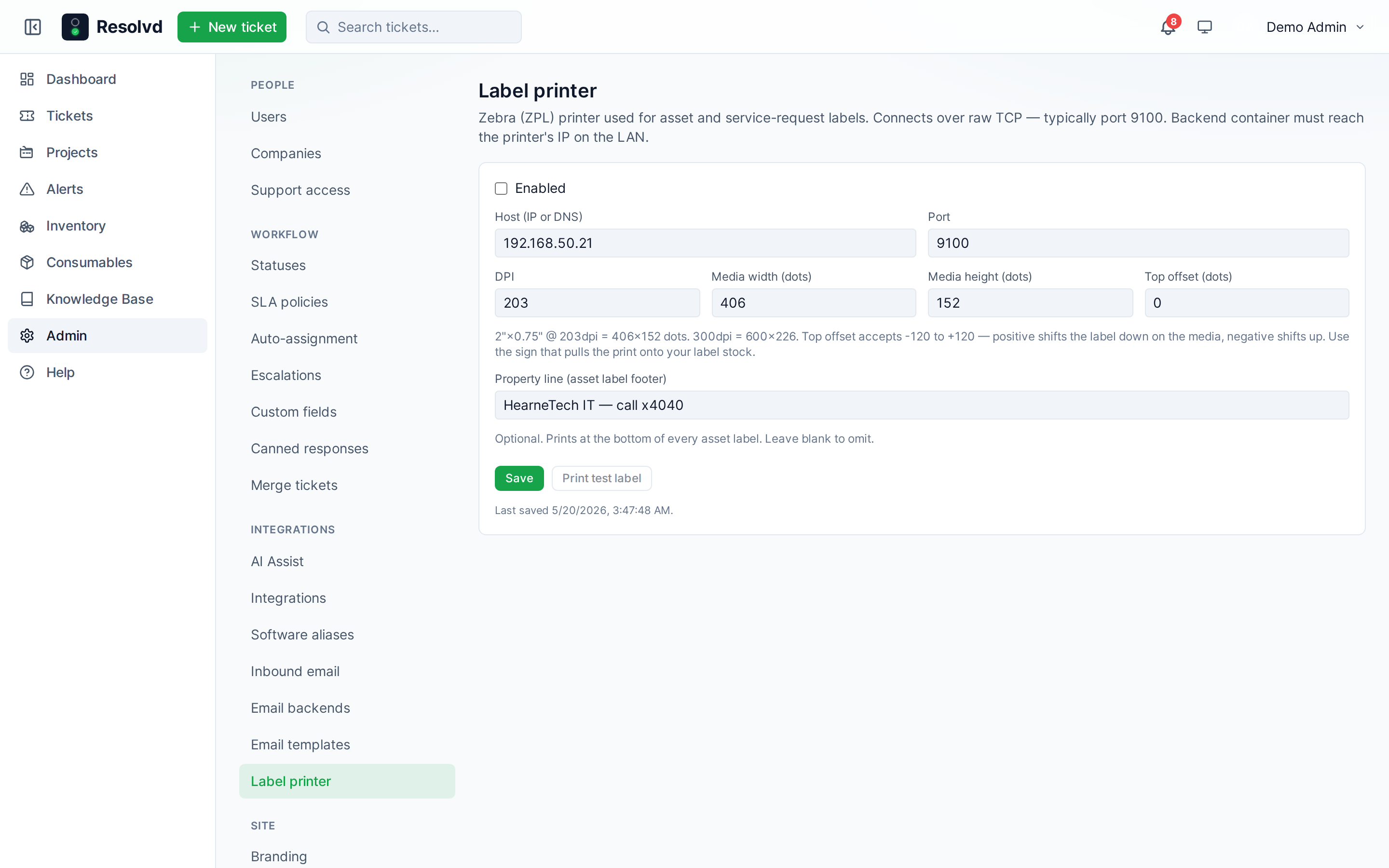
Inventory and Consumables both get a Print label button. Top offset accepts -120..+120 dots because some printers have a positive bias the operator wants to correct.
Asset tags + custody log
Operator-facing inventory IDs that survive RMM syncs. RMM-managed rows keep all structural columns synced from Action1, but asset_tag is admin-owned — COALESCE’d on update so an admin-supplied tag persists even when the source has the slot empty.
asset_checkouts tracks possession over time. One row per check-out / check-in pair, separate columns for holder + actor (out_by / in_by), free-text notes. A partial unique index on asset_id WHERE in_at IS NULL enforces one active checkout per asset; a double check-out 409s at the route.
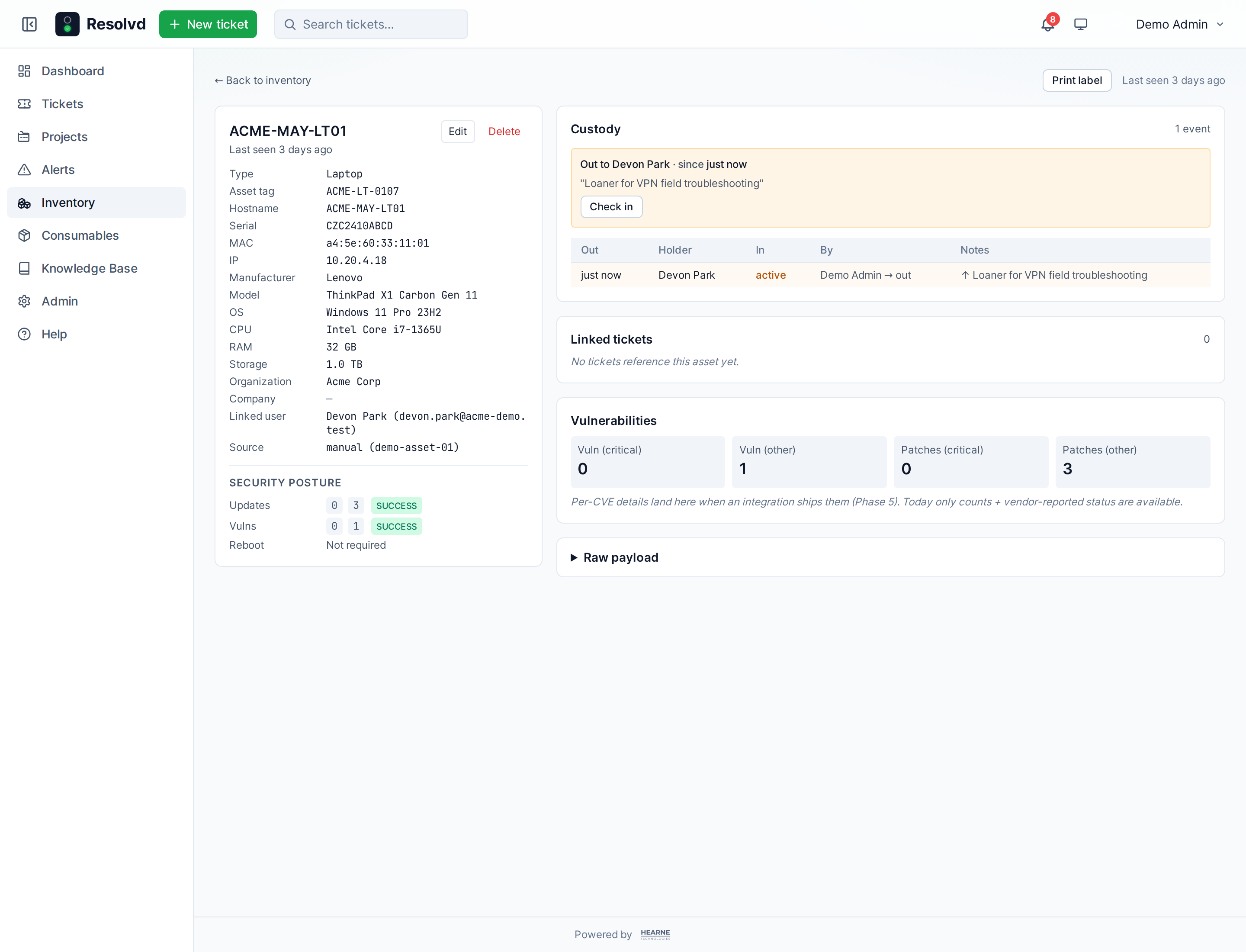
The custody panel sits on the asset detail page. Check out → set holder → optionally note (shipped via FedEx, kept at desk); check in → reverses. linked_user_id auto-tracks the active holder, so the same UI that previously linked a single Action1-reported user now reflects current possession.
Consumables module
Toner. Spare drum kits. UPS batteries. Replacement keyboards. The stuff Inventory shouldn’t track per-serial because it’s interchangeable.
Schema:
consumables—part_no(unique),vendor_company_id,current_stock,low_stock_threshold,notes,archiveflag.consumable_movements— append-only ledger:delta,reason,ticket_id,by_user_id,at,note.
Every stock change runs UPDATE + ledger INSERT in the same transaction. Direct PATCH /current_stock is rejected with 400 "use /:id/move" so you can’t bypass the audit trail.
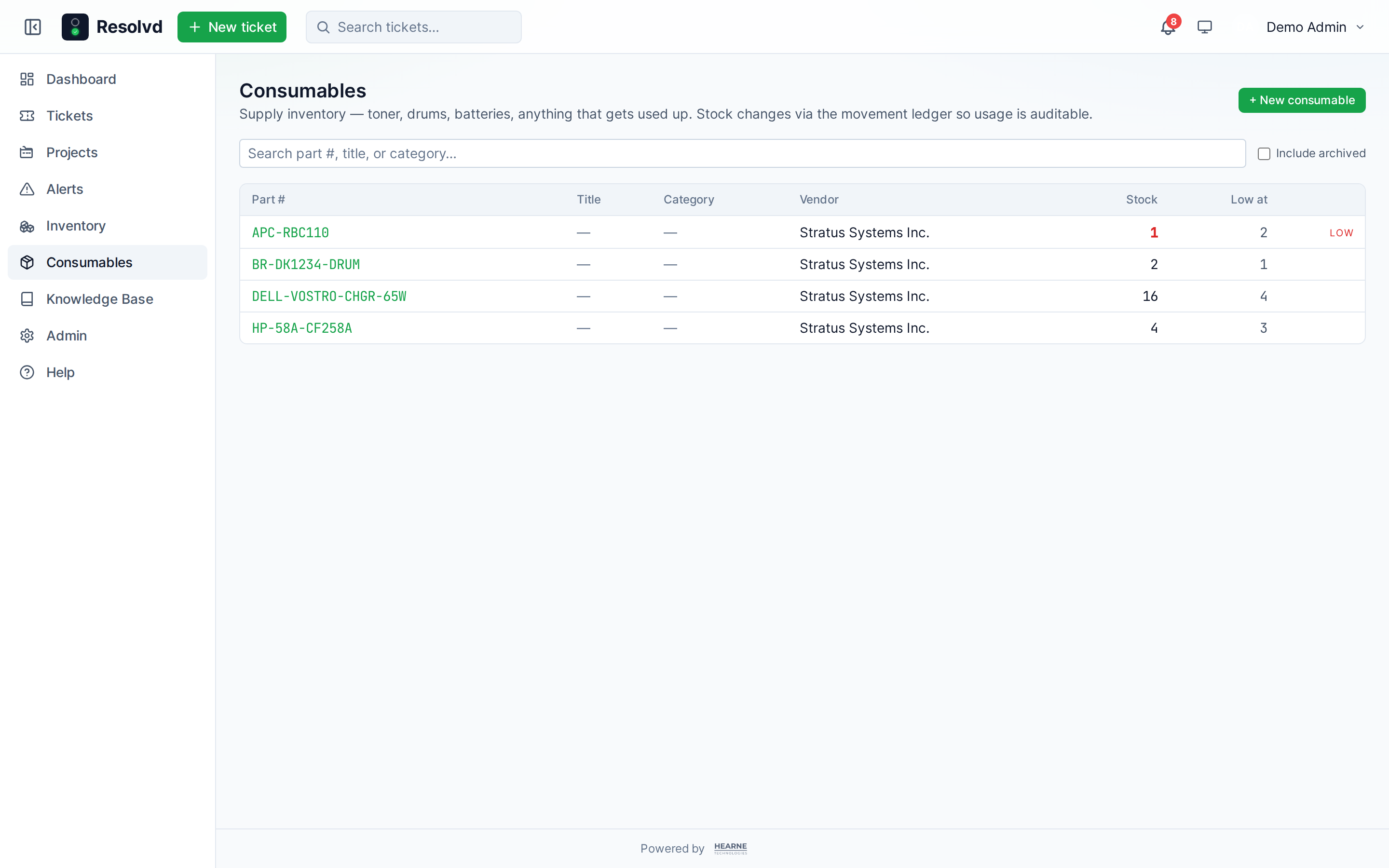
UI is Consumables in the top nav, parallel to Inventory:
- List page with search, low-stock chip, archive toggle.
- Detail page with stock card, inline edit, +/- stock controls, the full ledger table, and a
Print labelbutton. - Per-item history shows every
+5 received from Newegg,-1 issued to ticket ACME-0042,-2 disposed (recall).
Low-stock is purely informational right now — surfaces a red badge but doesn’t fire a notification. Reorder alerts via the existing notification matrix is a follow-up.
RBAC tightening
Three permission gaps closed:
- Inventory is handler-only. The sidebar link is hidden for non-handlers, a
handlerOnlyroute protector blocks direct navigation, and everyGET /api/assets/*requires Admin/Manager/Tech. Submitters / Viewers had no reason to see hostname lists — now they don’t. - Bulk assignee picker on the ticket list used
GET /api/users, which let admins assign to Submitters / Viewers. Replaced with a project-scoped Agent-flag pool — single-project selection scopes to that project; mixed scopes return the org-wide eligible set. - Vendor-share toggle on the comment composer now allows any project handler (matches the Notes ACL, factored into
isProjectHandler). A Submitter granted Tech-tier on one project can finally share customer-facing comments on that project’s tickets — fixes the gap that made the role override feel half-done.
Markdown reach: canned responses + vendor email
Two surfaces that were stuck on plaintext got markdown:
- Canned response body in admin:
<textarea>→MarkdownEditor(Write / Preview tabs, formatting toolbar, AI rewrite). Same component the ticket composer uses. The[label](url)hint is shown under the field. - Vendor outbound email runs the template body through
markedwith an allowlist ofp / a / ul / ol / li / h1-h6 / em / strong / code / blockquote / brtags. Anchors gettarget="_blank" rel="noopener noreferrer". Raw HTML from the source is dropped by the sanitizer so a poisoned template can’t inject anything.
Inbound flow polish
- Match by ticket ref. The admin match flow on Admin → Inbound now accepts either a numeric internal id or a ticket reference (
ACME-0042). The lookup is case-insensitive and ignores leading#. - Auto-provision Submitter accounts. Unknown senders arriving via inbound email or alert integrations now mint a default Submitter user instead of falling to the manual queue. When Entra is configured, a Graph
/users/{email}lookup populatesdisplay_name,entra_oid,upnso the user can SSO immediately. Vendor-domain senders are decline-listed againstcompanies.kind = 'vendor'— those still arrive as contacts. - Vendor-reply lookup ignores empty blind_idx, fixing a class of mismatches where a contact row had a NULL/empty plaintext-email blind index.
Mobile + button uniformity
- Mobile ticket tabs collapse to a single full-width
<select>below the 640 px breakpoint. Six tabs (Comments, Notes, Runbook, Attachments, Resolution, Audit) overflowed the strip + bled into the description column. Tablet+ keeps the strip but addsflex-wrap. - Desktop button heights are now uniform.
.btncarries aborder border-transparentso bordered variants (btn-secondary) and borderless ones (btn-primary) render at the same total height.index.cssdocuments the policy:.btn(~36 px) for header CTAs / modals,.btn-sm(~24 px) for dense table rows.
Upgrade notes
- New columns:
assets.asset_tag,asset_checkoutstable,consumables+consumable_movementstables,kb_articles.kind,ticket_runbook_runstable,label_printer_config(1 row). AllIF NOT EXISTS, no manual migration. - New nav entry: Consumables. Visible to handlers only.
- Label printer requires a configured
LABEL_PRINTER_HOST/ port (raw TCP:9100). Unconfigured =Printbuttons disabled with a hint pointing at Admin → Site → Label printer.
Full changelog on GitHub.